Shopify Speed Hack: Why You Should Use Booster AND Smart Prefetch Together
Discover how to combine Booster's hover-based preloading with Smart Prefetch's AI-driven mobile optimization to eliminate the 'Touch Trap' and deliver instant page loads on every device.
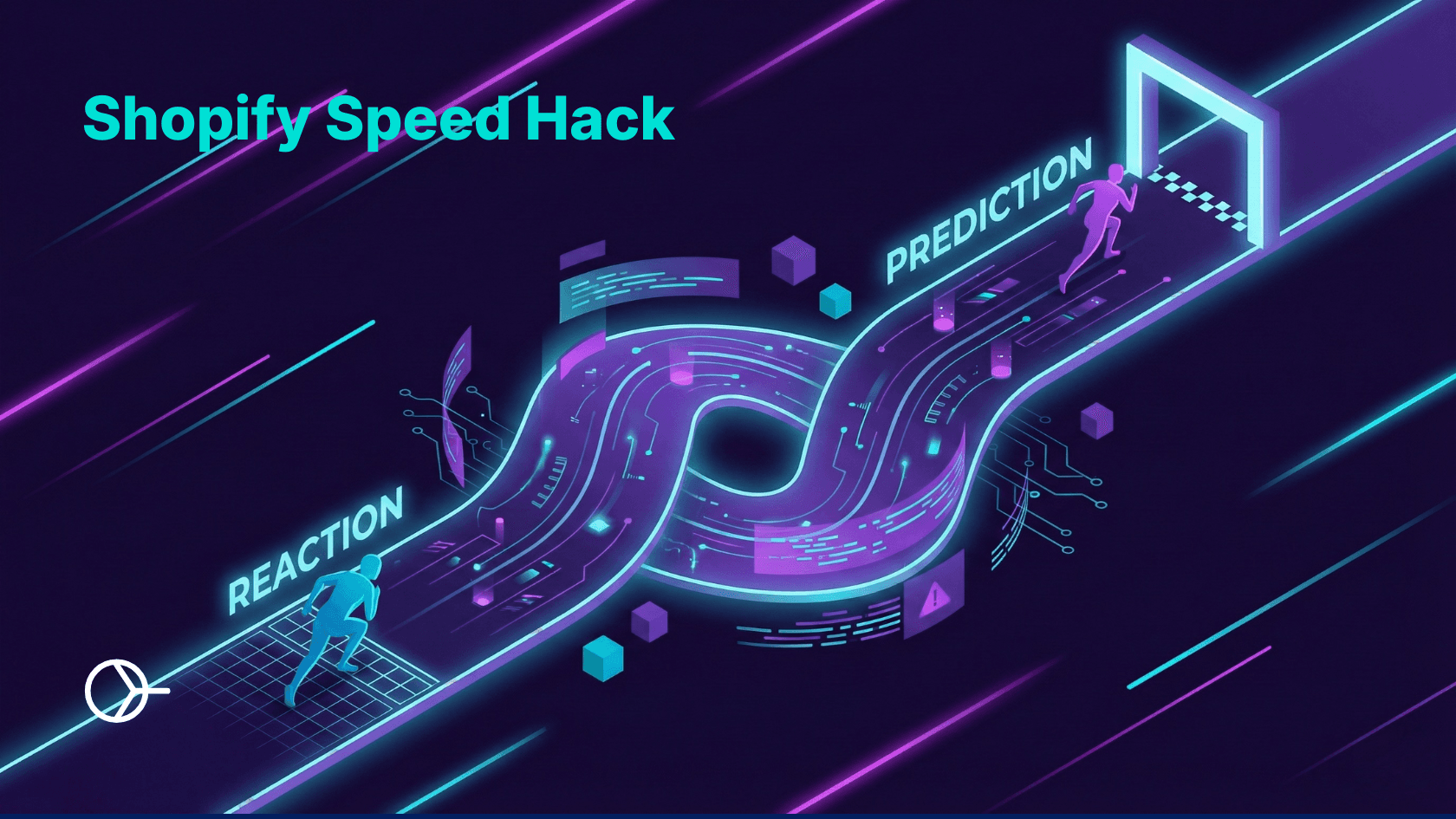
Key Takeaways for D2C Brands on Shopify:
- The “Desktop Illusion”: Free speed apps like Booster feel instant on desktop because they use “Hover” to preload pages, giving them a massive 400ms+ head start.
- The “Touch” Trap: On mobile, there is no hover. Booster waits for your finger to touch the screen (
touchstart). This only gives it ~100ms to load the page-which is too fast for the network to react. - Prediction is the Fix: Smart Prefetch doesn’t wait for a touch. It uses AI to predict the next tap seconds in advance, ensuring the page is ready before the user acts.
- Battery Safety: Basic booster scripts can be aggressive, draining user batteries. Smart Prefetch includes “Device Intelligence” to pause when a customer’s phone is low on power.
- The Strategy: You don’t need to delete Booster. We explain how to use Smart Prefetch to fill the “Mobile Gap” that Booster leaves behind.
Introduction
If you launched a D2C fashion brand on Shopify in the last five years, one of the first things you likely did was install a “Page Speed Optimizer” like Booster.
It’s famous, free, and promises “One-Click Speed.” You installed it, tested your site on your laptop, hovered over a product, clicked it, and-wow-it loaded instantly. You high-fived your team and moved on.
But here is the uncomfortable question most store owners never ask: “If it works so well on my laptop, why does my site still feel ‘sticky’ on my iPhone?”
For fashion brands where mobile traffic is often 80% of sales, this is a critical blind spot.
The truth is, while tools like Booster are fantastic for the “Desktop Era,” they struggle to deliver that same “instant” feel on mobile networks.
This doesn’t mean you need to delete Booster. It means you need to upgrade your stack. In this guide, we will break down the technical difference between Reactionary Speed (Booster) and Predictive Speed (Smart Prefetch).
The “Desktop Illusion”: Why Hover Works
To understand the problem, you have to look at how these apps make pages fast.
Most “Instant Page” apps rely on Hover-Based Preloading.
- A user moves their mouse cursor over a link (e.g., a “Summer Dress”).
- The browser detects the
mouseoverevent. - The app starts downloading the next page immediately.
- The user clicks 400 milliseconds later.
Because the app had a 400ms head start, the page is already downloaded by the time the click happens. It feels like magic.
The “Touch” Trap: Why It Fails on Mobile
Now, let’s look at mobile. There is no mouse on an iPhone. You cannot “hover” your thumb.
So, how does Booster handle mobile? It listens for an event called touchstart (when your finger physically touches the glass).
Technically, yes, it does try to preload on mobile. But it is too late.
The Physics of a Tap:
- Touch: Your finger hits the screen. (Download starts here).
- Lift: Your finger leaves the screen. (Navigation happens here).
The time between “Touch” and “Lift” is typically only 80 to 100 milliseconds.
On a fast WiFi connection, maybe you download a tiny bit of data in 100ms. But on a standard 4G mobile connection? 100ms is barely enough to send the request. By the time the server realizes you want the page, you have already lifted your finger, and the browser is forced to load it the “old fashioned” slow way.
Booster is trying to win a race that has already finished.
The Solution: Smart Prefetch’s “Prediction Engine”
This is where Smart Prefetch changes the game. We realized that “reacting” to a touch is simply too slow for mobile networks.
Instead of waiting for a physical signal (like a hover or touch), Smart Prefetch uses AI Prediction.
The “Predictive” Logic:
- A user lands on your “New Arrivals” collection.
- Smart Prefetch analyzes aggregated user behavior patterns.
- It identifies that this user has an 80% probability of clicking the first product card.
- It instructs the browser to download that page now-seconds before the user’s thumb even moves.
The Result: When your customer finally taps that product image, the page has been sitting in their phone’s memory for 3 seconds. It loads instantly.
- Booster (Reactionary): 100ms head start (Too slow).
- Smart Prefetch (Predictive): 3000ms+ head start (Instant).
For a fashion brand or for a high-value brand like Jewelry, this difference is the gap between a “standard” site and a “premium app-like” experience.
The “Safari Gap”: Being Smart About Data
Another hidden issue with older speed scripts is Data Safety.
Some basic optimizers are “aggressive.” If a user scrolls past 20 products on a collection page, the script might try to blindly download all 20 of them just in case.
This is a disaster for mobile users:
- Battery Drain: It forces the phone’s radio to stay active, killing the battery.
- Data Wastage: It eats up the user’s monthly data plan downloading pages they never visit.
- CPU Lag: Ironically, downloading 20 things at once can make the current page scroll aggressively choppy.
Smart Prefetch includes “Device Intelligence”:
- Battery Check: If the user’s phone is on Low Power Mode (<20%), we automatically pause. We’d rather they save battery to complete checkout.
- Data Saver: If the user has “Data Saver” enabled in their OS settings, we respect that.
- Network Check: We monitor the connection type (4G vs WiFi) to adjust how aggressive we are.
🕵️♂️ Is your store failing the “Thumb Test”?
You might see a high score on desktop, but how does your mobile experience actually stack up against top D2C brands?
Don’t guess. We built the D2C Speed & Conversion Scorecard to help you audit your store’s true performance. It checks 7 critical conversion signals—including the “Mobile Latency” gap we just discussed.
👉 Get Your Free Scorecard & Audit Now (Find out if you’re leaving revenue on the table in less than 2 minutes.)
The Hybrid Strategy: Using Booster & Smart Prefetch Together
The title of this blog says “Use them together,” and here is why.
We know that uninstalling a core app can be scary. “If it ain’t broke, don’t fix it,” right? And for your desktop traffic, Booster is doing a fine job.
We are not asking you to rip out your current setup. We are asking you to augment it.
Think of it like a security system:
- Booster is the lock on the front door. (Basic, works for people walking in the main entrance/desktop).
- Smart Prefetch is the perimeter sensor. (Advanced, detects intent before arrival, covers the mobile blind spots).
How to configure them for maximum performance:
- Keep Booster Installed: If you are using Booster for image optimization or SEO features, keep it.
- Add Smart Prefetch: Install Smart Prefetch to handle the “Prediction” layer.
- The “Handshake”:
- Desktop: Modern browsers are smart enough to deduplicate requests. If both apps try to fetch the same page, the browser just uses the first one. No harm done.
- Mobile: This is where Smart Prefetch takes the lead. While Booster waits for the tap, Smart Prefetch will have already loaded the page, ensuring your mobile users get the VIP speed treatment.
Conclusion
In the world of fashion e-commerce, Speed is Luxury.
A slow, lagging site feels “cheap.” An instant, snappy site feels premium.
For years, apps like Booster have helped democratize speed. But the traffic has shifted. Your customers are on their phones, scrolling through your collections during their commute.
For these users, “Reactionary” speed is dead. They need Predictive Speed.
Don’t leave your mobile performance to chance. Layer Smart Prefetch on top of your existing stack to close the mobile gap and give your shoppers the instant experience they expect.
Ready to upgrade your mobile speed?
Find out how much money slow navigation is secretly costing your D2C brand-and how much you can recover instantly with predictive prefetching.
Important FAQ
Q: I checked Booster’s code, and it says it listens to ‘touchstart’. Isn’t that enough? A: It listens, but it’s too slow. The time between a touchstart and a click is often less than 100 milliseconds. On a mobile network, that is not enough time to establish a connection and download a page. It’s like trying to cook a meal after the guest has already ordered it. Smart Prefetch “cooks the meal” before they even sit down.
Q: Will using two speed apps slow down my site? A: No. Smart Prefetch uses a tiny, asynchronous script (less than 2KB) that loads after your main content is visible. It is designed to run quietly in the background without blocking the user’s view.
Q: Does this work on “Headless” Shopify stores? A: Yes! Unlike many theme-dependent apps that rely on specific liquid tags, Smart Prefetch works on standard Liquid themes AND headless setups because it relies on URL prediction patterns.

Sandeep Kumar
With over 14 years of hardcore backend engineering experience, Sandeep is a verified technical expert on server-side performance. He specializes in deep infrastructure optimization, building highly scalable backends, and ensuring lightning-fast load times for high-traffic stores and web applications.